Show reservations in your own calendar
A user wants to view his own reservations for all vehicles in his calendar app (Microsoft Outlook, Apple Calendar, Google Calendar, etc.).
Written By Zemtu
Last updated 22 days ago
How to
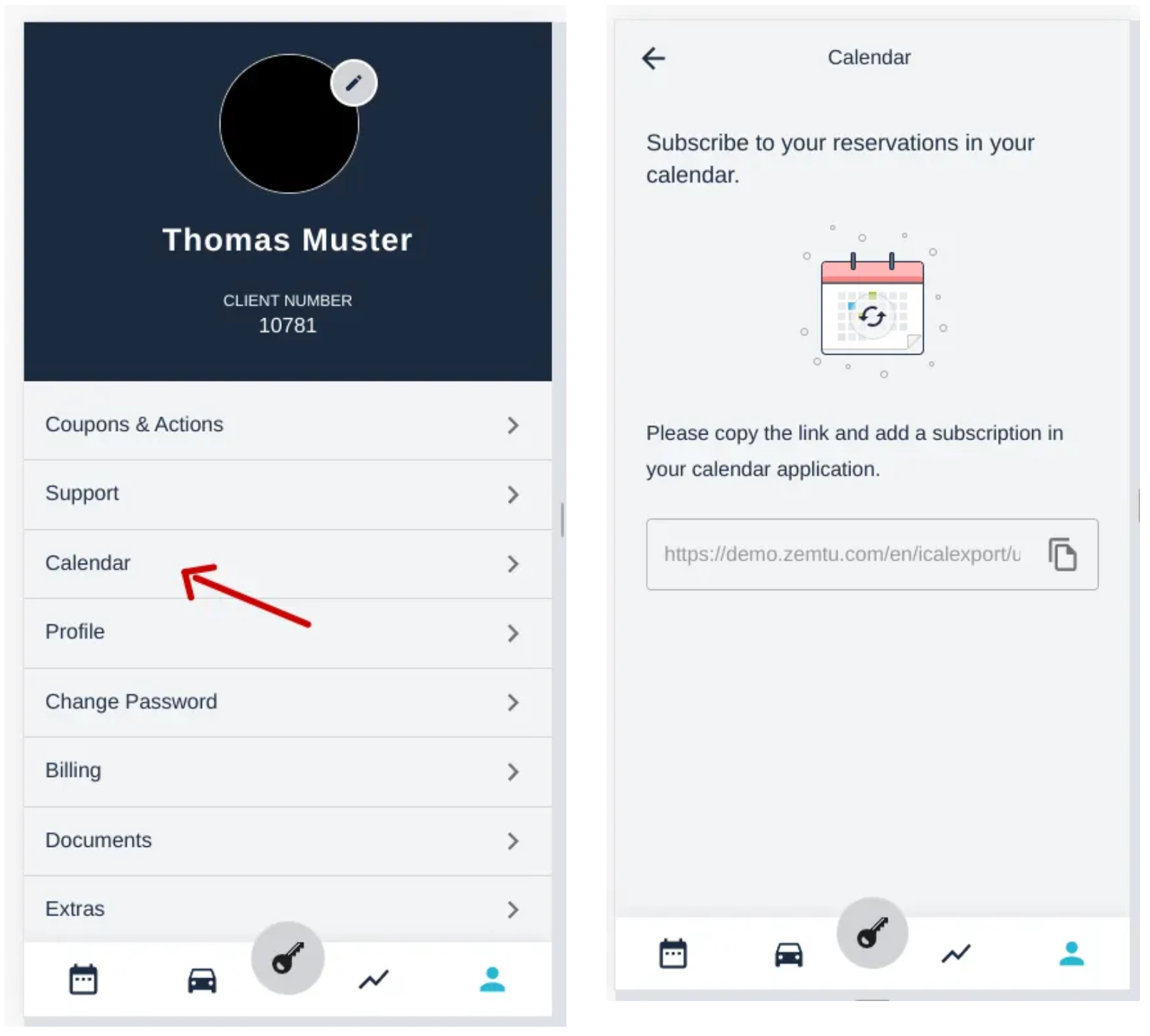
To enable a user to subscribe to their reservations in the calendar, they need a subscription link. You can find the link in the mobile app at Profile → Calendar.
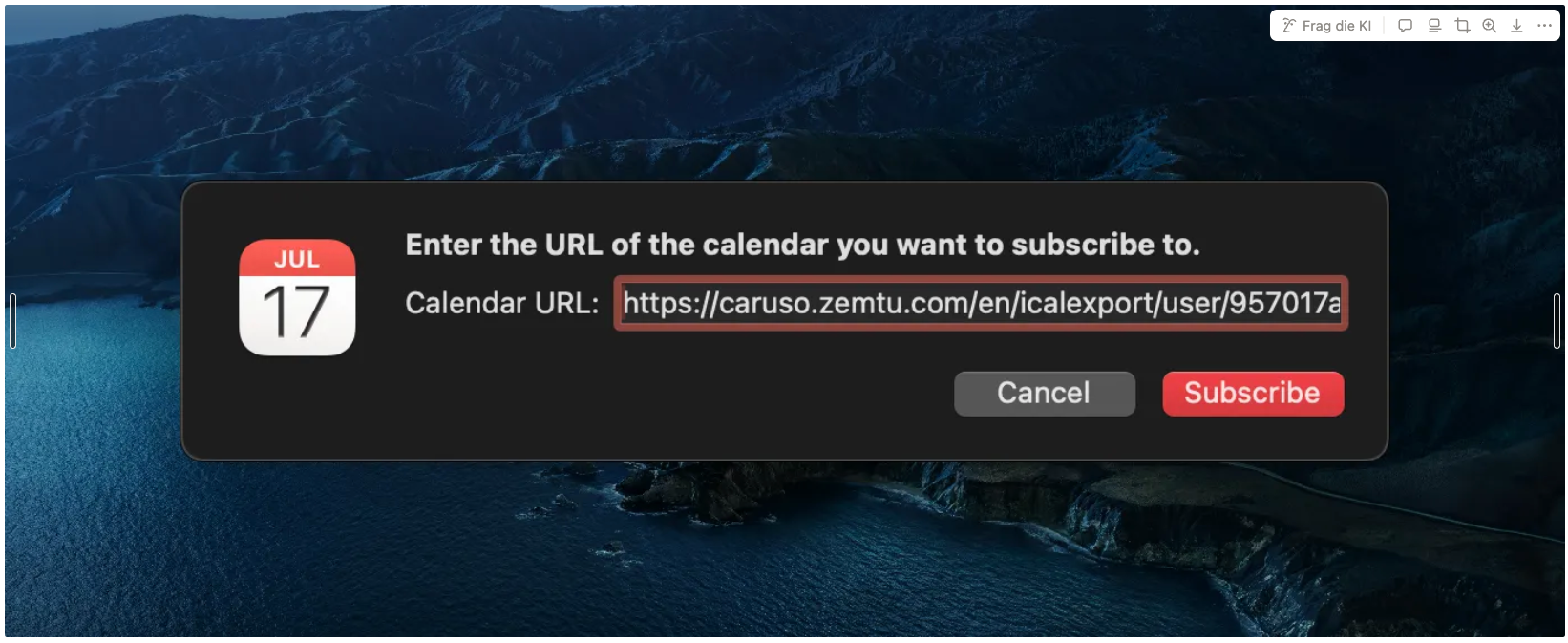
This link should then be subscribed to in the respective calendar.
Not like this
If you open the link in a browser, the calendar.ics file is downloaded instead. This only contains a snapshot of the current reservations. If you import this file into your own calendar, new and changed reservations will NOT be updated automatically.
Example
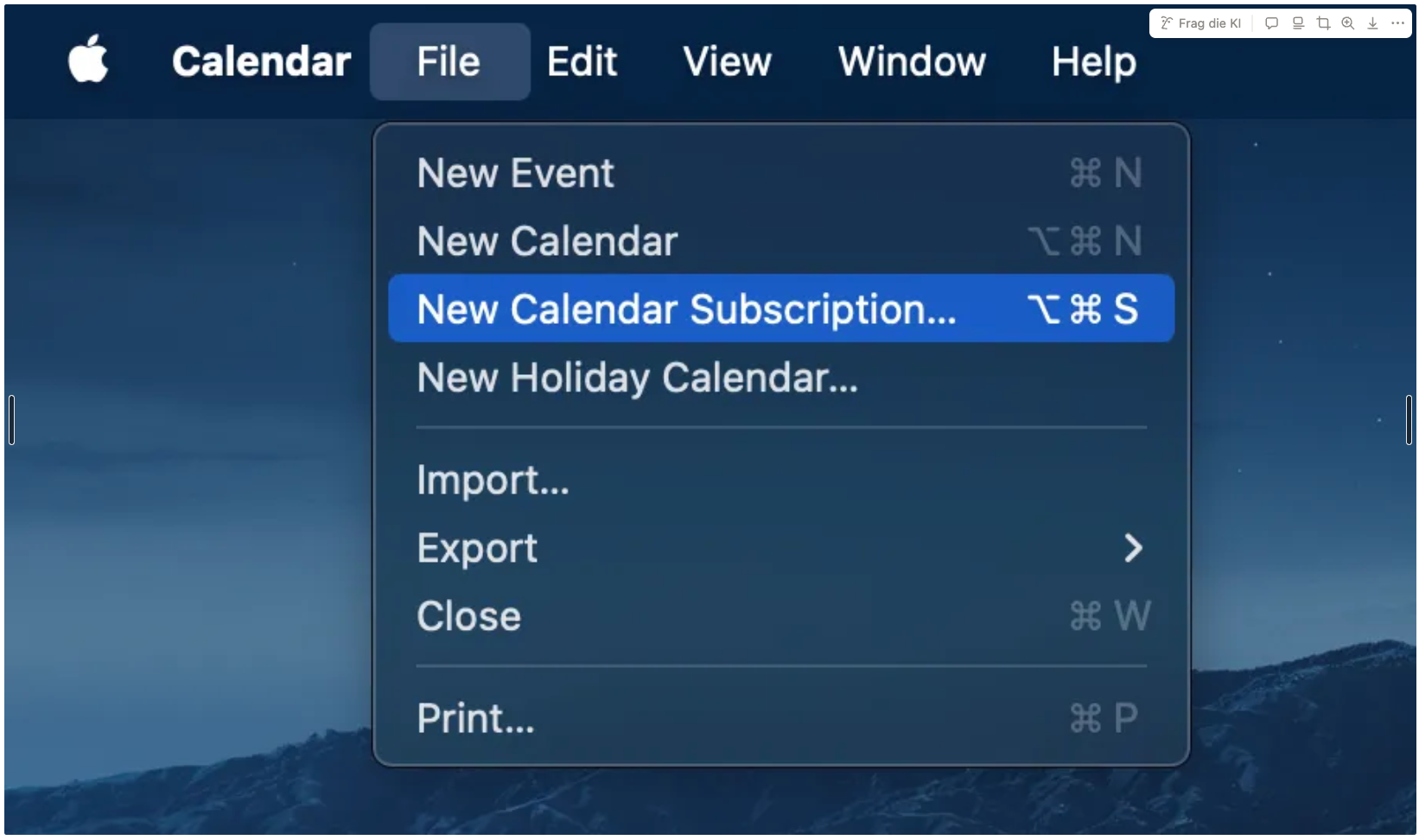
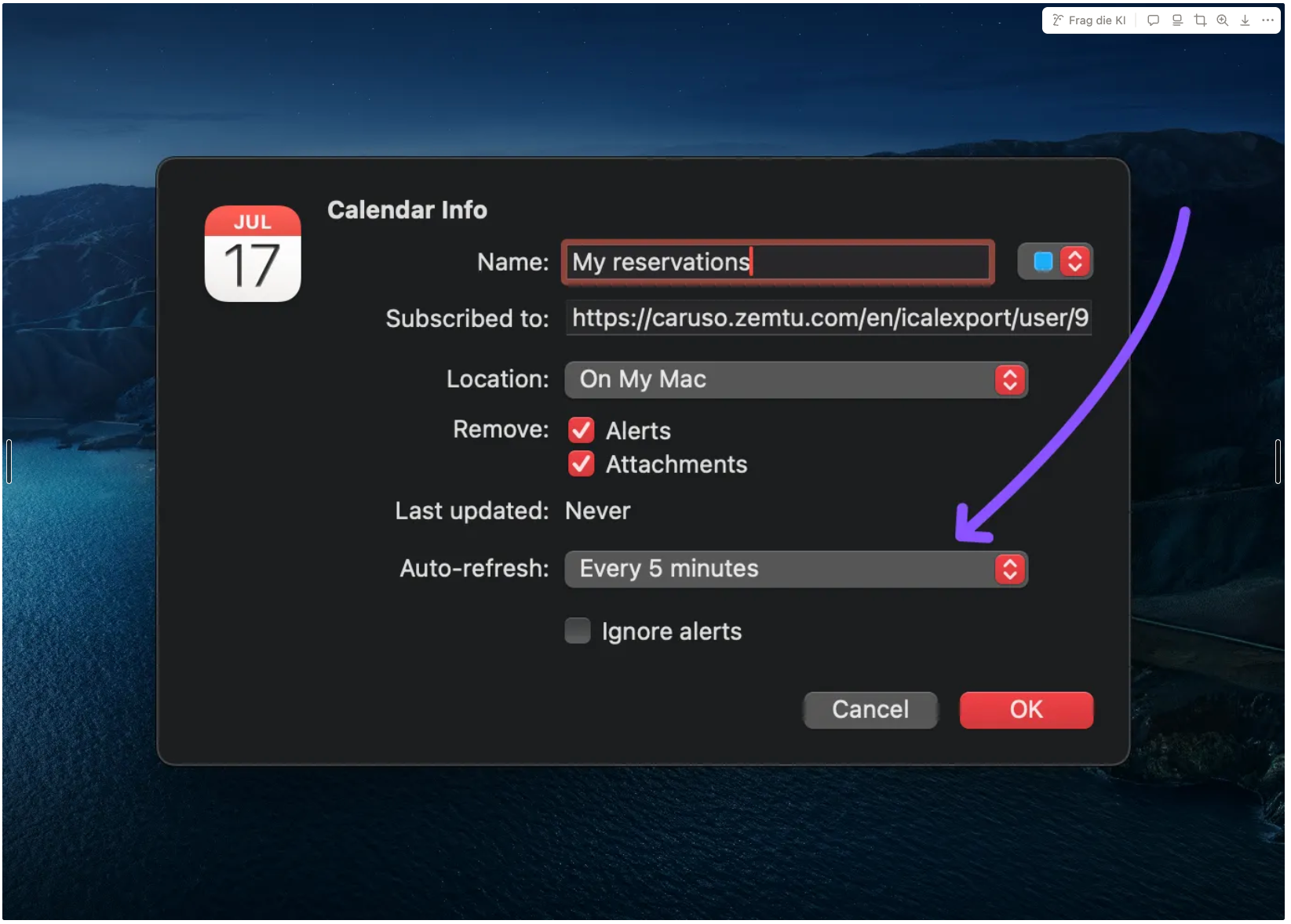
In the macOS Calendar, for example, it works like this:
iOS Calendar
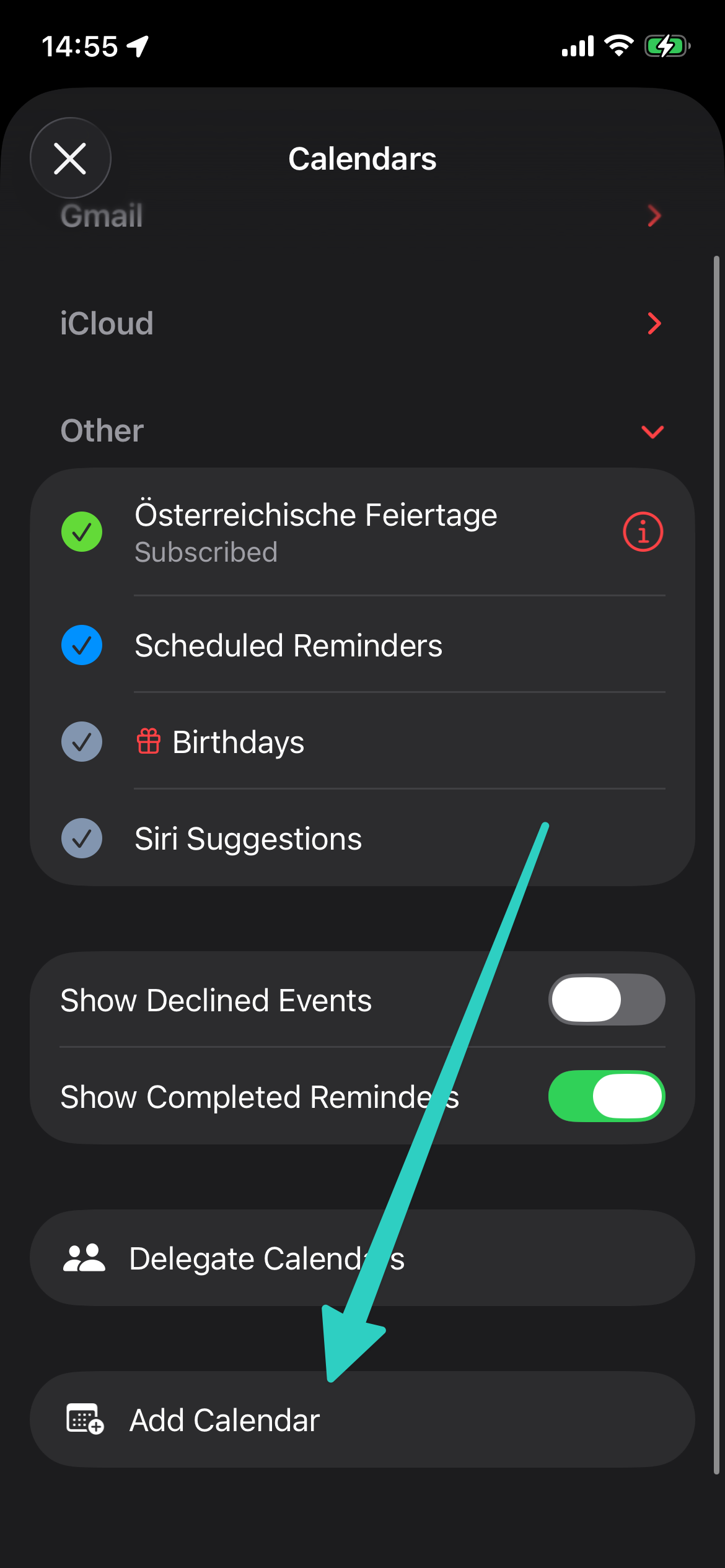 | 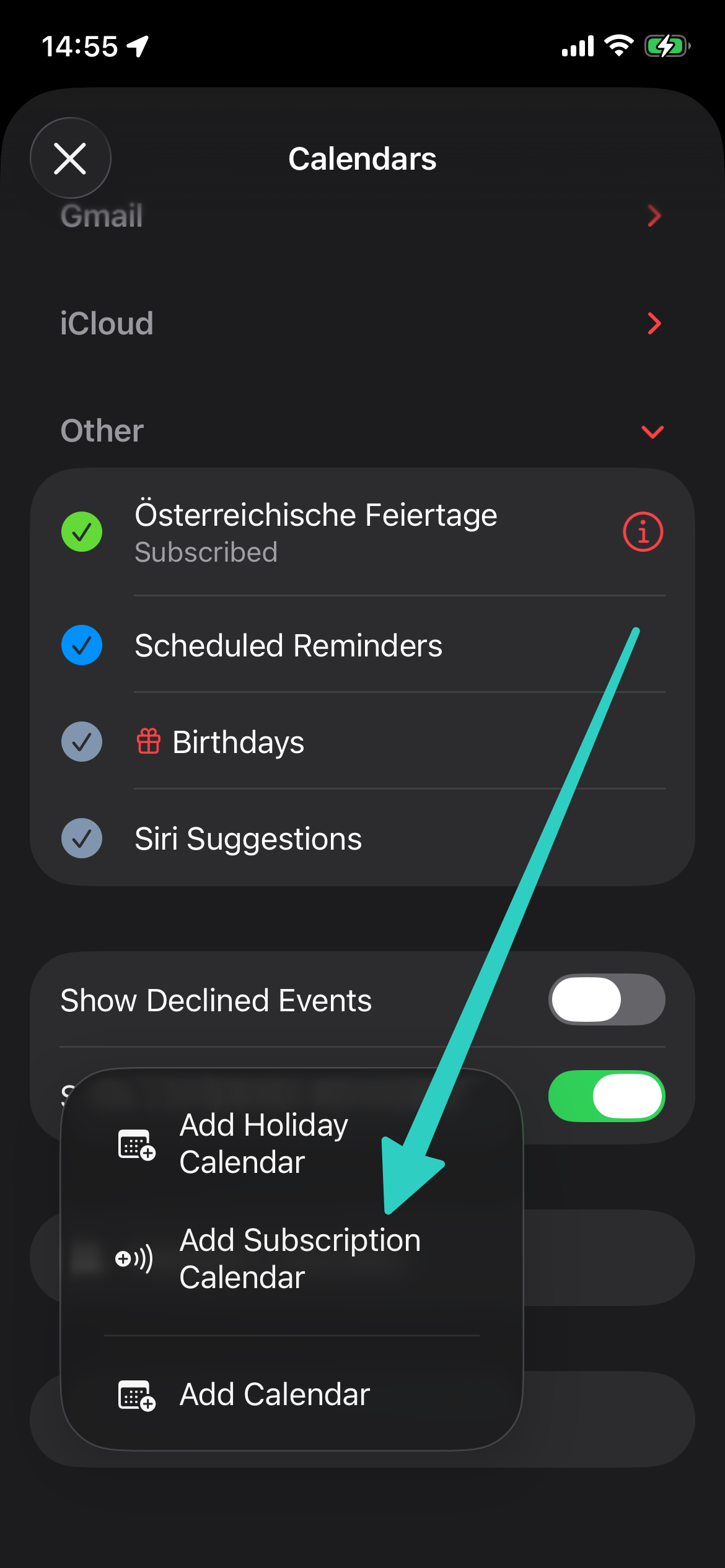 | 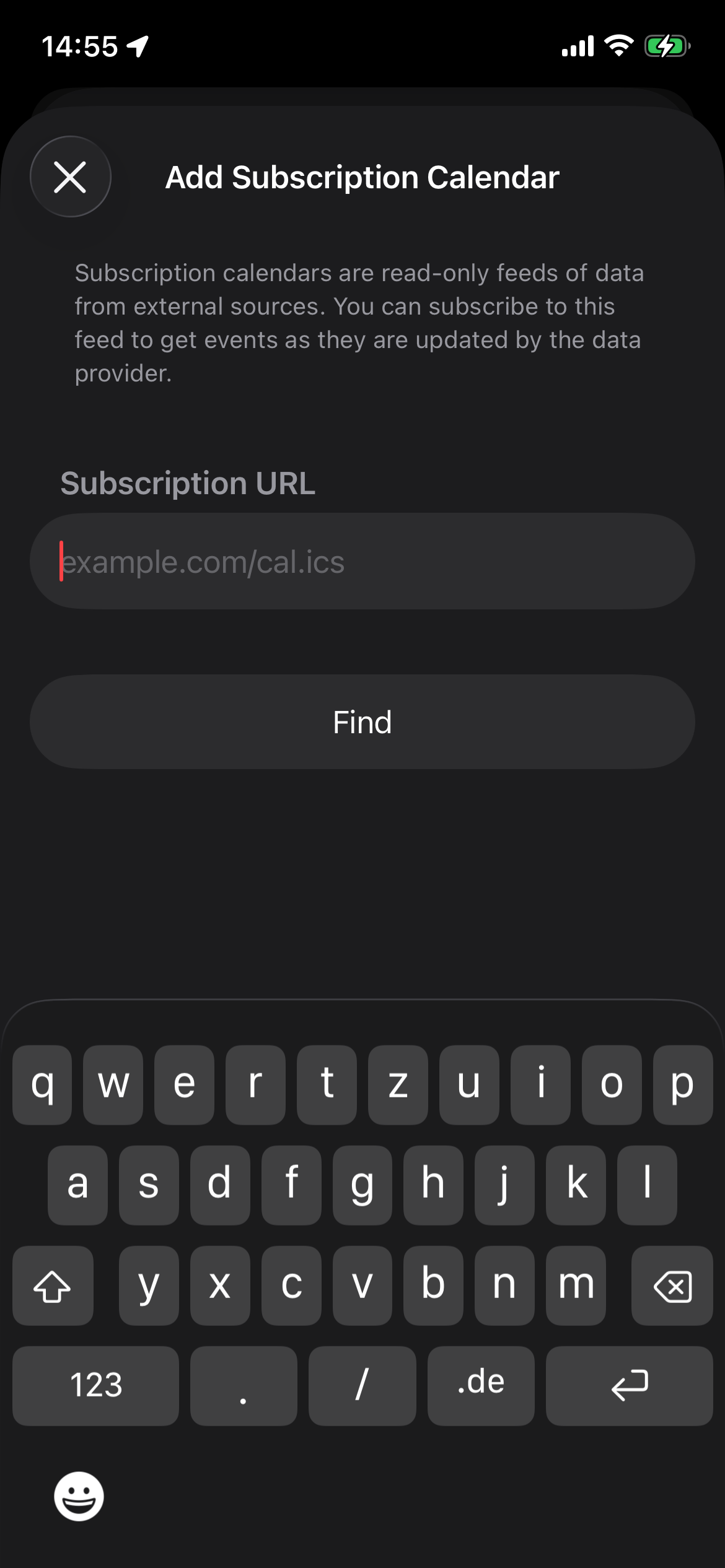 |
Google Calendar
Add other calendars → From URL
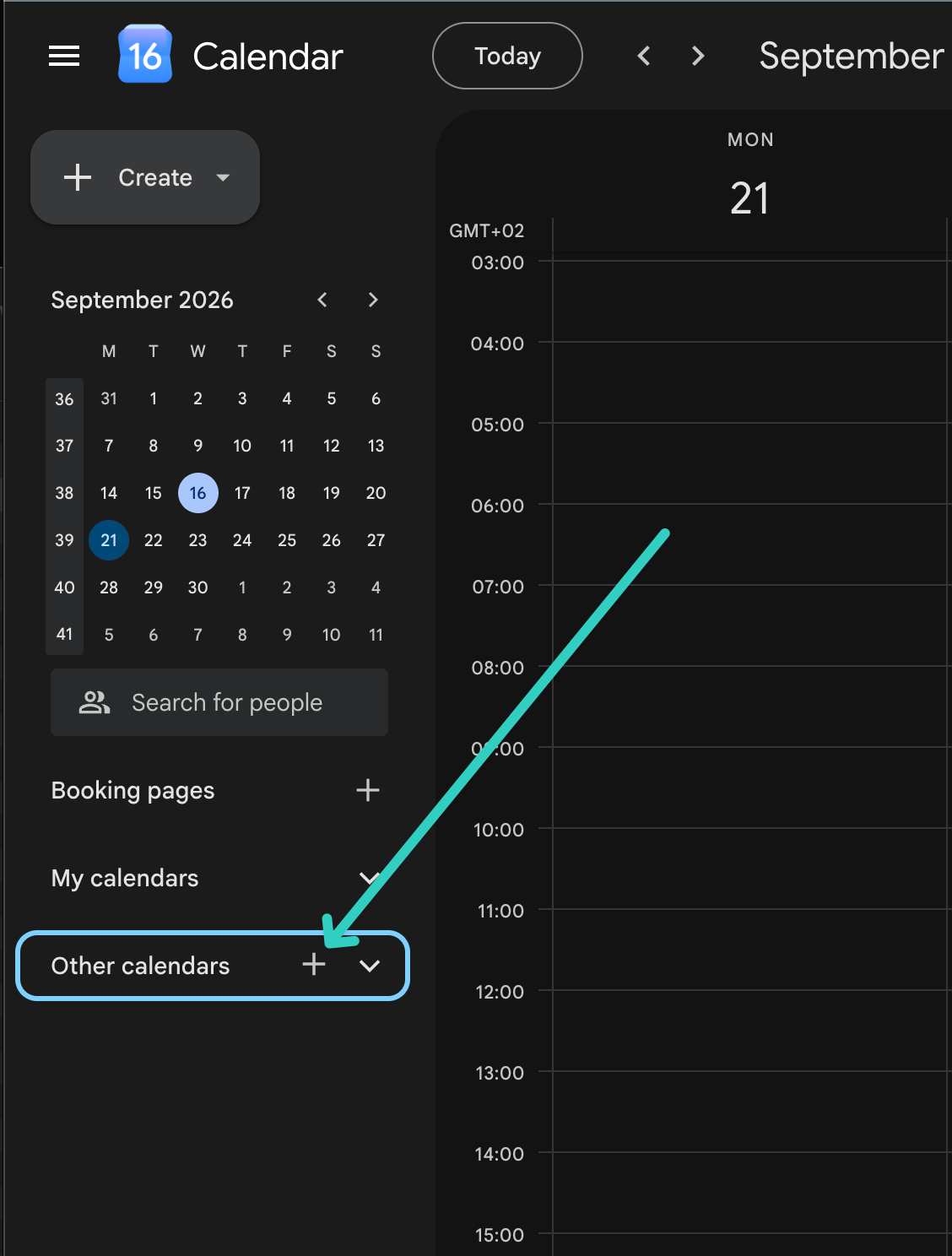
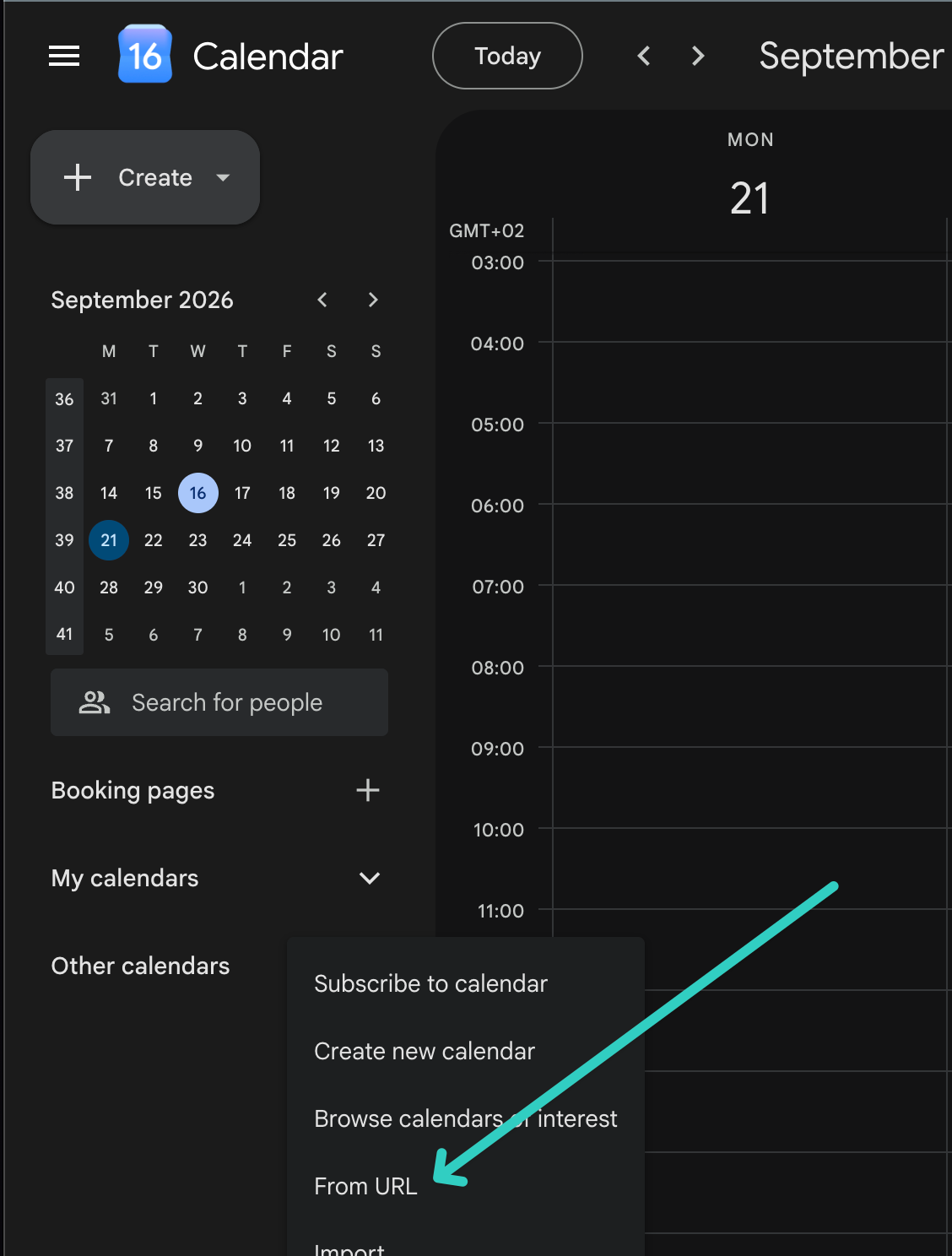
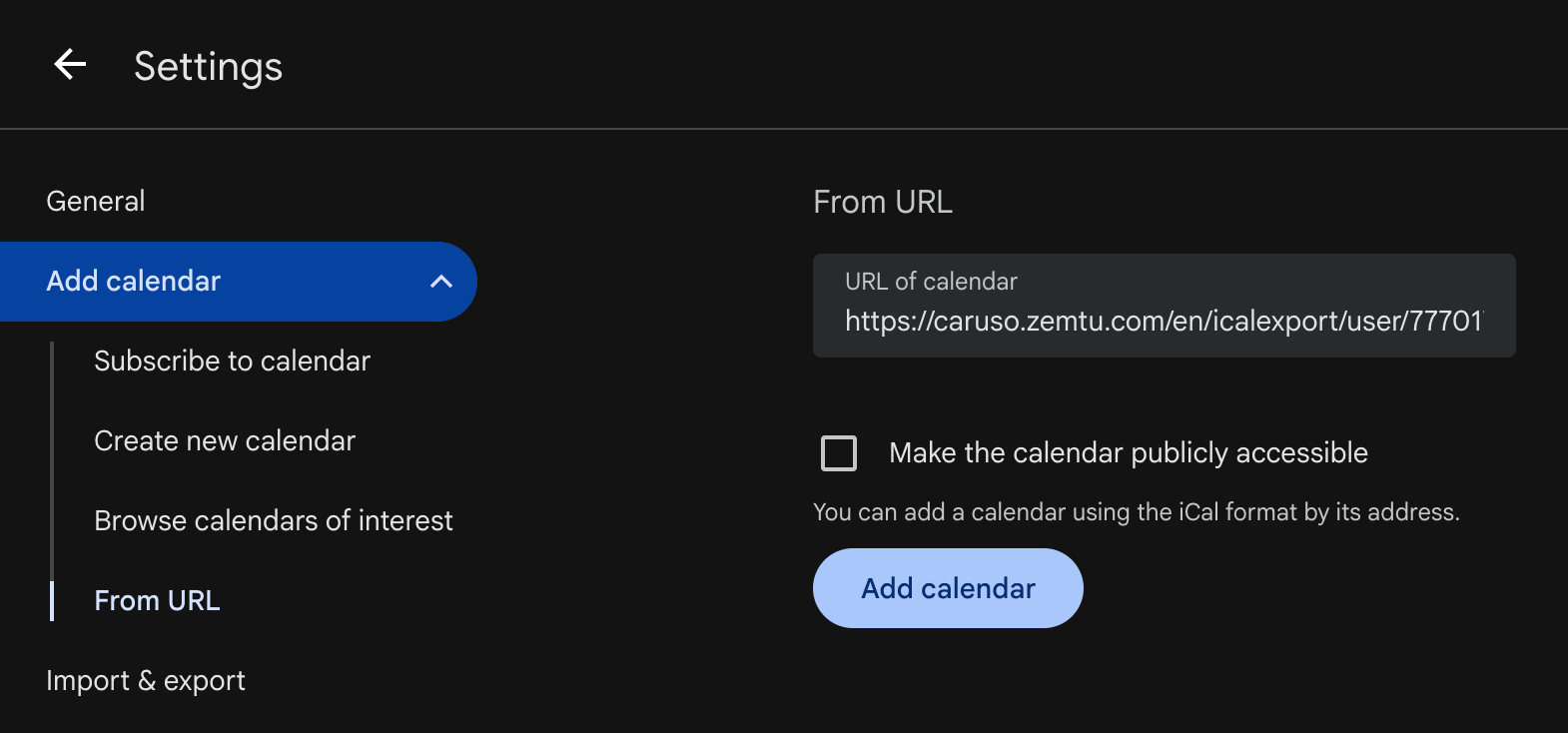
Read the section “Use a link to add a public calendar” here.
Tips
For Microsoft Outlook, it is recommended to reduce the default setting "Schedule an automatic send/receive every" from "30 minutes" to a few minutes.
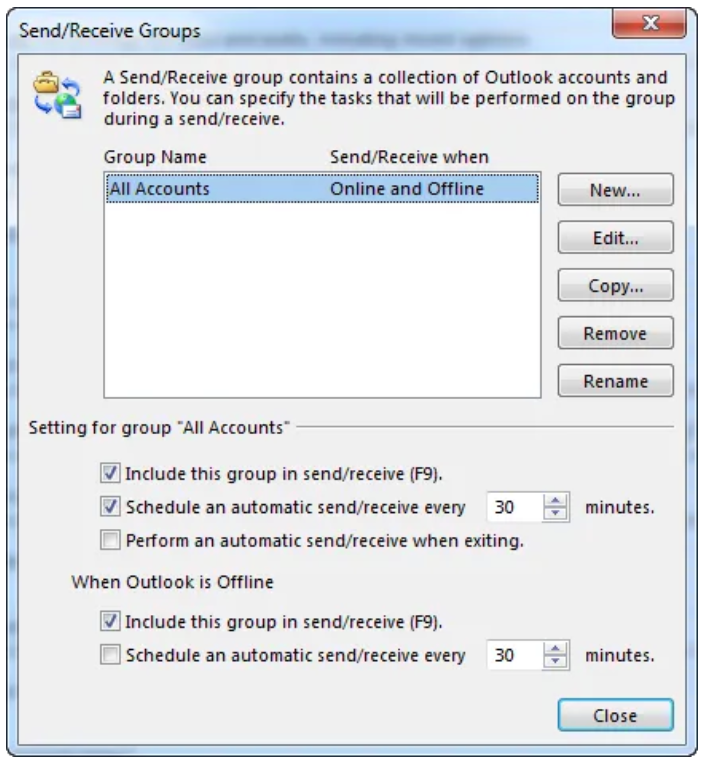
See Change send/receive group settings
All reservations for a vehicle for OrgAdmins
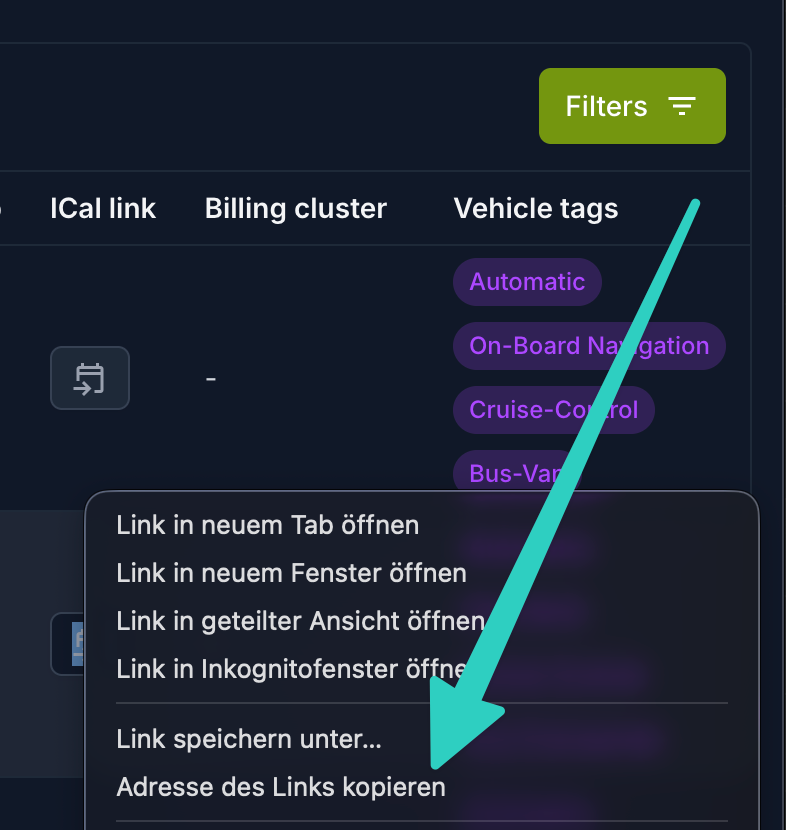
OrgAdmins can also add calendar subscriptions for all reservations on a vehicle. Please find the links here:
Vehicles
/admin/main/vehicle/
Was this helpful?
Still need help? Share an idea